herbe service · module
Equipment
The machines you service, as a tree and not a flat list. Every visit, reading and fitted part stays with the unit it belongs to.
Already a customer? Sign in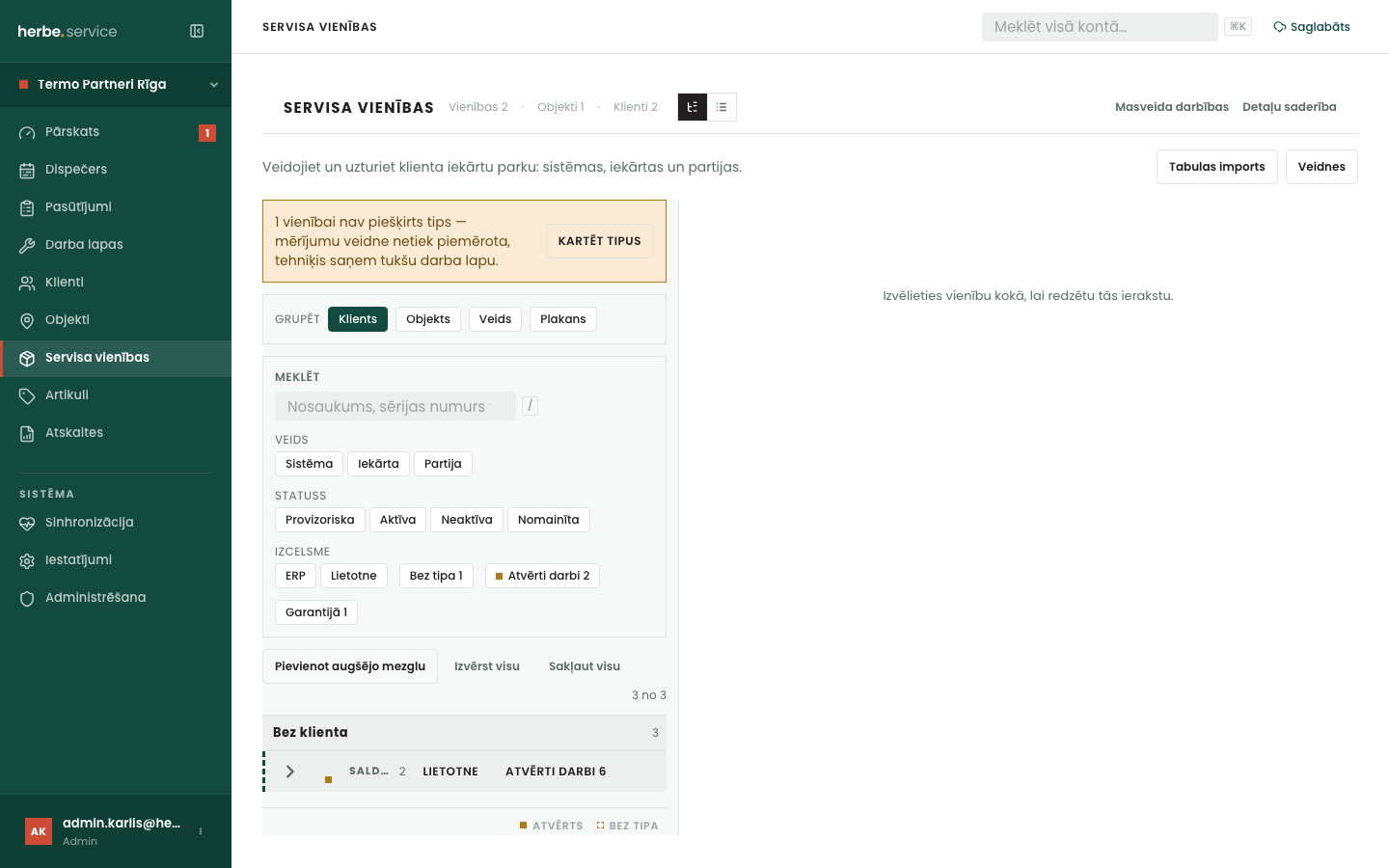
Equipment that remembers
The history is on the machine, not in somebody's head.
How it works
Build it your way, fix it from the field
Add a few nodes by hand in the tree, import a spreadsheet, or change many units at once with a preview first.
- Sites, systems and units
Installed equipment as the structure you actually service, with counted groups for things you do not number.
- A label on each unit
Scan it and the technician lands on the unit's card. The customer's side lands in herbe portal.
- Added from the field
A machine nobody listed is added from the job, checked against duplicates, and kept provisional until the office confirms it.
How to start
Walk the tree in the demo
Open a customer and move through its sites and units.
Send us a spreadsheet
Book a demo and bring the equipment list you keep today.
Give each machine a type
The unit type decides which checklist a technician gets.
Questions about equipment
How do we get our machines in?
Three ways: add nodes one at a time in the tree view, import a spreadsheet, or, with an ERP connected, take what it already holds. Bulk changes show a preview first.
What does provisional mean?
A technician created the record in the field. It stays off new orders until someone in the office confirms it is real and not a duplicate.
Does a unit's status stop a technician logging work?
No. The field app never refuses. A mis-marked machine still gets its work recorded, and the mistake is fixed in the office before the next order.
Is the history lost when a unit is replaced?
No. A replaced unit keeps its record and can name what replaced it.
Bring your equipment list
Book a demo and we show your own machines in the tree.