herbe warehouse · module
Invoices
Prepare and manage invoices from your phone. Review invoice data, edit entries and keep your financial documents in step with your ERP in real time.
Already a customer? Sign in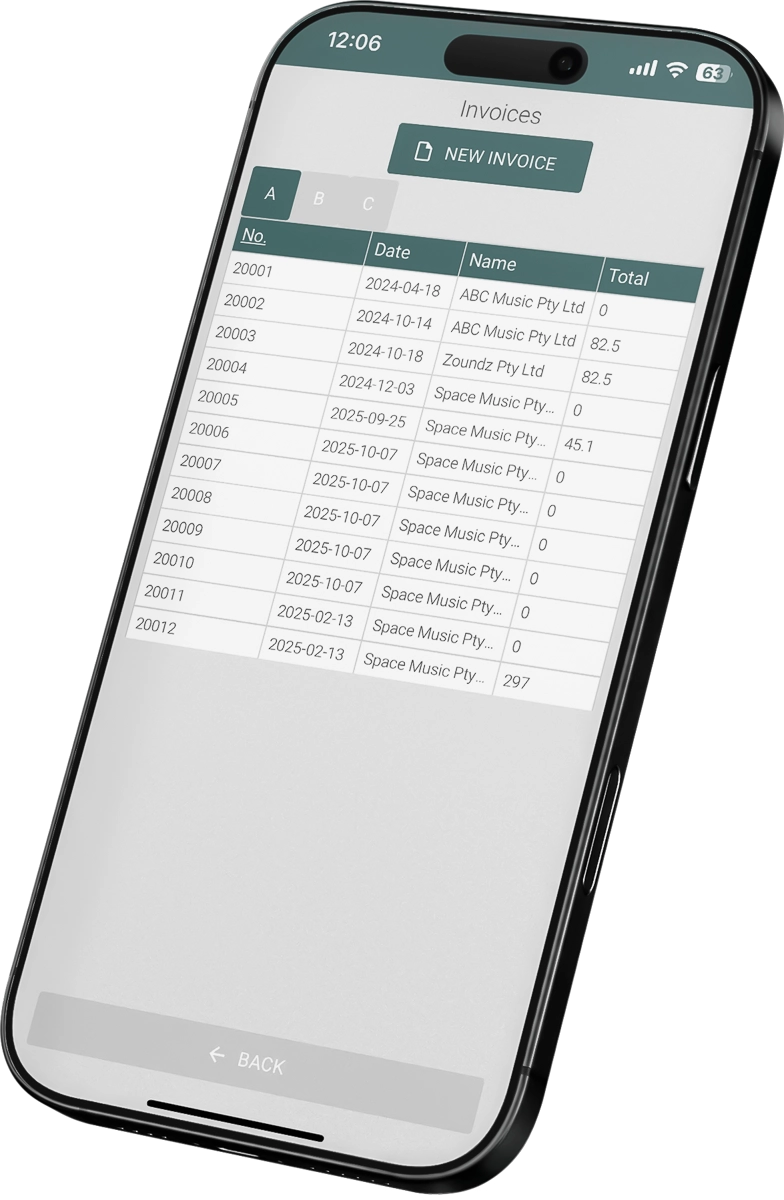
Invoice when the goods leave
No desk, no paper.
Built for daily business
Invoice handling that stays accurate and stays in step with your ERP.
- Works with Excellent Books and Standard ERP by HansaWorld (known as Excellent ERP in the Baltics, Finland and Norway)
- Edit invoice entries
Review the current entries, edit details or add items in the app.
- Quick access to goods and data
Find goods at once, see their location and department and make the edits you need inside the invoice entries.
- Paperless invoicing
Skip the printing. Create, update and send invoices digitally, with the data kept in step with your ERP in real time.

How to start
Book a demo
Tell us how you invoice today. We prepare a demo around your setup.
Choose the modules
Pick the warehouse operations you want in the app. Use only what you need.
Fit it to your process
We adjust fields, layouts, filters and workflows to the way your warehouse works.
Questions about invoices
Can I create an invoice on my phone?
Yes. You can prepare new invoices in the app without a desktop.
Can I make an invoice from a sales order or a delivery?
Yes. The standard workflow applies: make a sales order, create deliveries from it, then create invoices from the order or the deliveries.
How do I find an invoice?
Search by date or by customer name, then open the invoice to check customer data, dates and totals.
Do I need to print invoices?
No. You can create, update and send invoices digitally from the app, and the data is kept in step with your ERP.