herbe warehouse · module
Stock movements
Move stock between warehouses and locations with full control, straight from your phone.
Already a customer? Sign in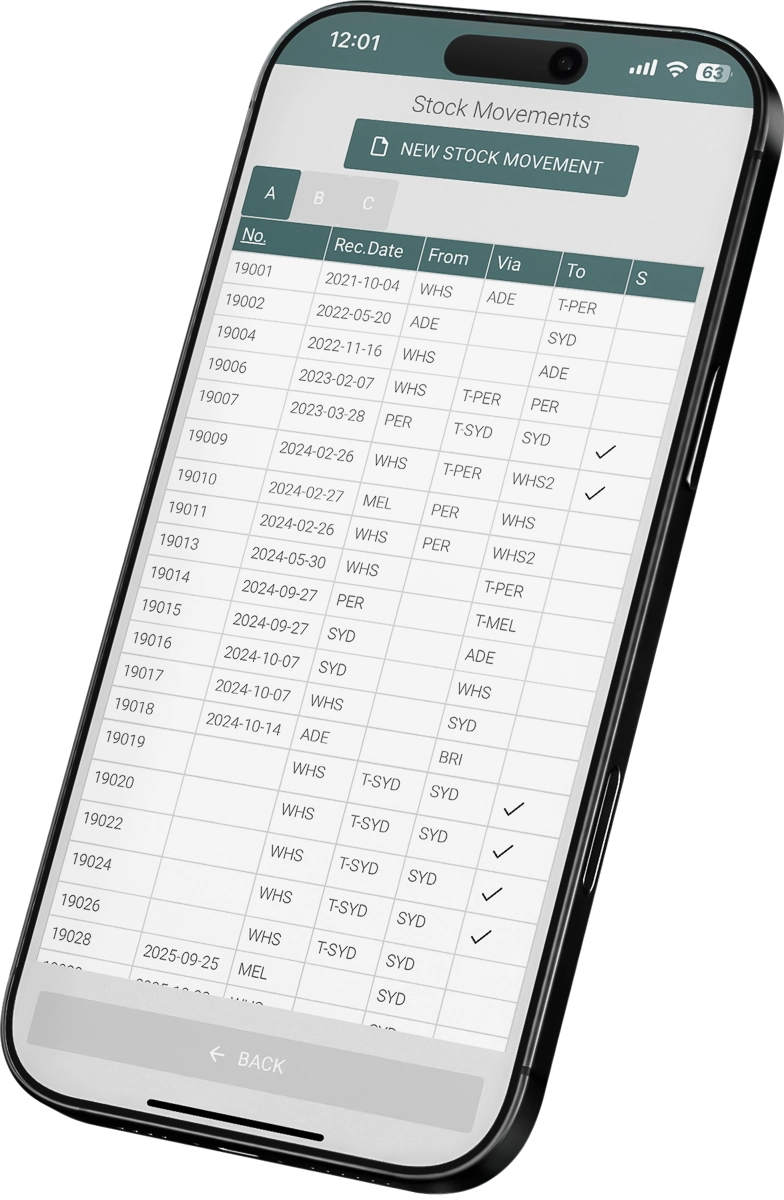
Know where every transfer stands
From the sending shelf to the receiving one.
Built for daily warehouse work
Fast, accurate and controlled transfers across all your locations.
- Works with Excellent Books and Standard ERP by HansaWorld (known as Excellent ERP in the Baltics, Finland and Norway)
- Create movements on the phone
Prepare new stock movement documents while you work in the warehouse, with no desktop needed.
- Completed, partial or pending
See at once which movements are completed, partially received or still pending.
- Edit in real time
Adjust quantities, locations or items in existing movement documents; changes reach your ERP straight away.

How to start
Book a demo
Tell us about your warehouses and how stock moves between them today. We prepare a demo around your setup.
Choose the modules
Pick the warehouse operations you want in the app. Use only what you need.
Fit it to your process
We adjust fields, layouts, filters and workflows to the way your warehouse works.
Questions about stock movements
What are stock movements for?
Moving stock between warehouse locations, physical warehouses and virtual warehouses. You send, receive and track internal transfers from your phone.
Can I handle the whole lifecycle of a movement?
Yes. You can prepare a new movement document, send stock to another location or warehouse, confirm receipt on the receiving side and see each movement's status: completed, partially received or pending.
Does it support virtual warehouses?
Yes. You can move stock between physical and virtual warehouses, which opens up more advanced internal logistics.
Can I edit a movement after I create it?
Yes. You can adjust quantities, the from and to locations and the items on existing movement documents. Changes are synchronized with the ERP straight away.