herbe portal · module
Invoices & payments
Every invoice, the open balance and the PDF, ready when your customer needs them. Overdue ones get a pay button.
Already a customer? Sign in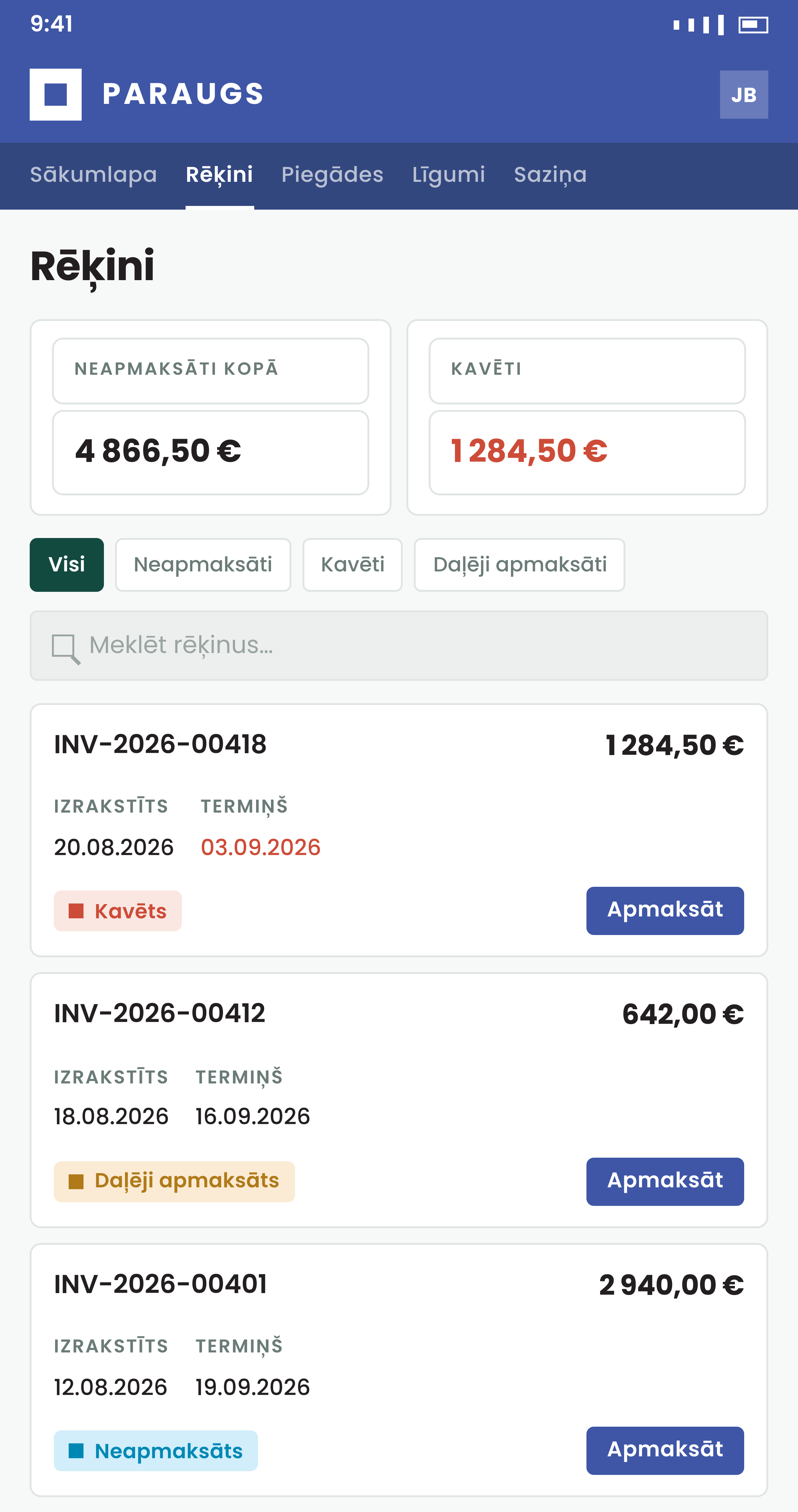
Fewer requests to resend an invoice
Your customers look it up themselves, and your team stops being the archive.
What the customer sees
The balance first, the detail one click away
Four cards sum up the position: open balance, overdue, number of invoices and turnover. They change as the customer filters the list.
- An invoice you cancelled with a credit note shows a Credited badge, has no pay button and drops out of the open balance
- Customers linked to several of your companies narrow the list with company chips
- Lines and totals
Quantities, unit prices, net, VAT and gross, with a status badge on top.
- Download the PDF
Made live from your own record, with your template.
- Pay less or more
With custom amounts on, the customer chooses what to pay.
- Ask about a charge
With an ERP connected, the question goes in the invoice's own thread and lands on the same record for your team.
How to start
Book a demo
We show the invoice list with your branding and a company like yours.
Switch on invoices and payment
Turn the module on per company. Online payment is a separate switch, set up with a payment gateway.
Invite your customers
They sign in and the portal matches them to their customer record by email or personal ID.
Questions about invoices and payments
Can a customer pay without signing in?
Yes, if you switch on pay without login. Invoice and reminder emails then carry a Pay now link for that one invoice. It stops working after 90 days, and once the invoice is paid every link for it closes.
Can a customer pay only part of an invoice?
Yes, when you allow custom amounts. A dialog shows the outstanding amount first and the customer can change it, lower or higher. Without it, the full outstanding amount goes to the payment page.
Which payment gateway do you support?
Montonio, today. No gateway means no pay button; the invoice list and PDFs work either way.
What happens to the invoice after it is paid?
With an ERP connected, the portal matches the payment back to the record, and the badge changes from Unpaid to Paid within a minute.
How far back do customers see invoices?
By default the portal imports a recent slice. Ask us to reach further back if your customers need older invoices.