herbe portal · module
Office staff
Your own people open a customer, see what the customer sees, and answer, send, sign and ask from the same screen.
Already a customer? Sign in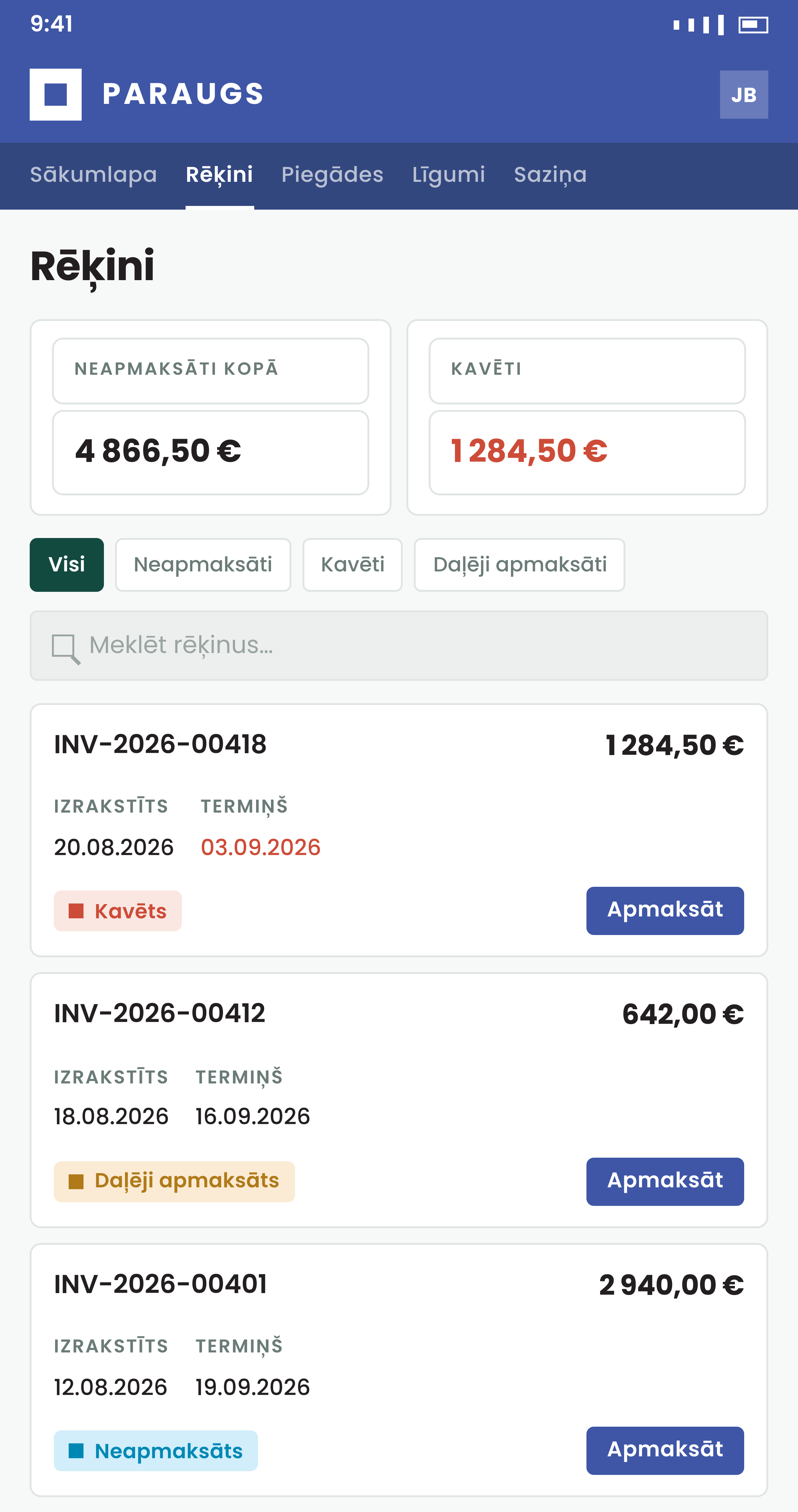
The customer's question, document and signing in one place
Staff work where the customer works, with the customer's own view in front of them.
How it works
From search to answer in a few clicks
Office staff land on a page with a search field and the activities assigned to them. Search covers customers and documents, and ⌘K or Ctrl+K puts the cursor in it.
- Icons beside a record number download the PDF, and, where an admin set it up, open the record in your ERP or re-read it from there after you changed it
- On a portal that runs on herbe service, the same place opens the invoice, quotation, order or worksheet in herbe service
- On a portal that runs on herbe service, staff can record a payment by hand on an invoice paid by bank transfer or in cash, and undo it
- One search
Find a customer by name or registration number, or a quotation, invoice, order, delivery, contract or service order by its number.
- Your activities
The messages assigned to you, or where you are in CC, with filters by customer and person, and a Done list.
- Open a customer
A view-only copy of the customer's portal. Pay, accept, reject and confirm buttons stay out of sight.
Answer, send and sign
The paperwork, done from the customer's page
Everything here is done as the signed-in person, and logged under their name.
- Each signer gets their own email and needs no portal account. The signing runs through Dokobit or eParaksts, as you set it per company
- When the last signer has signed, everyone gets the signed PDF by email
- A cancelled signing ends without a signed copy, and the emailed links stop working
- Reply and close
Your reply goes to the ERP under your own user, and the customer sees your name. Mark as done closes the activity for good, and the dialog says so before you press it.
- Send a document
Email an invoice with your own subject, text and files, or send a quotation to the customer's contact persons for approval. The customer still accepts or rejects it themselves.
- Manage a signing
Start a signing on a quotation, invoice, delivery, sales order or contract. Add signers from both sides, follow who has signed, send a signer's email again, or cancel.
herbe assist
Ask instead of clicking
The Ask button (⌘J or Ctrl+J) opens herbe assist beside the page. It knows which customer or record is open and works with the person's own rights.
- It needs a herbe ID sign-in, and an admin has to switch AI on there. Customers never see the Ask button
- Claude, ChatGPT and Codex can do the same work through the herbe connector
- Ask about the customer
What do they owe? Which quotes are still open? Which deliveries wait for their confirmation? Who is waiting for our reply?
- Have it prepare the work
A reply to an activity, an invoice or a quotation to send, a signing to start, remind or cancel. It shows exactly what would happen.
- A person presses Approve
Anything that reaches a customer waits for an approval link. The person opens it in the portal, reads it and presses Approve.
Who may open what
An admin decides who can open which customers
Office staff are your own people. An admin invites them and sets a scope for each person. Staff cannot invite each other or change their own scope.
- Access can be taken away at any time. Nothing changes in your ERP and the record is kept
- A portal on herbe service has no ERP users: staff are invited by email address and can open every customer
- Three scopes
All customers, the customers of the person's sales group, or only the customers that name them as salesperson.
- Sign in with herbe ID
Staff can sign in through herbe ID, with a work Microsoft account, a passkey or an email code. Remove the person there and their portal session ends within five minutes.
- Logged
Opening and closing a customer, marking an activity done, sending a quotation and every step of a signing are written to the audit log.
How to start
Book a demo
We open a customer as office staff and answer a message, send a quotation and start a signing.
Invite your staff
An admin picks the people and the scope for each, and they get an invitation email.
Set what they can start
Signing and replies are switched on per record type, and the assistant when an admin turns AI on.
Questions about office staff
Who counts as office staff?
Your own ERP users, once an admin invites them. They open a customer and see what the customer sees. An admin chooses which customers each person can open.
Can staff accept a quotation or confirm a delivery for the customer?
No. Pay, accept, reject and confirm buttons are left out of the staff view. Staff can send a quotation for approval, and the customer decides.
Can staff undo marking an activity as done?
No. A done activity is closed in the ERP and nobody can reopen it. If the customer writes again, that starts a new activity.
Does it work without an ERP?
Partly. Replying to activities and starting a signing need Excellent Books or Standard ERP by HansaWorld (known as Excellent ERP in the Baltics, Finland and Norway). Opening a customer and sending an invoice or a quotation do not depend on that. On a portal that runs on herbe service, staff can also record a payment by hand.
Does the assistant send things to customers on its own?
No. It prepares the email, the reply or the signing and answers with an approval link. Nothing is sent until the person opens the link in the portal and presses Approve.
What do staff see of the AI message labels?
If you switch message labels on, each activity can carry tags for urgency, tone, waiting for a reply and topic, and the list can sort by Needs attention first. A label is a hint, and staff can correct a wrong one. Customers never see them.