herbe service · module
Customer portal
Customers follow their service orders, read the worksheets and reports, and confirm the finished job in herbe portal. Their answer comes back on the order.
Already a customer? Sign in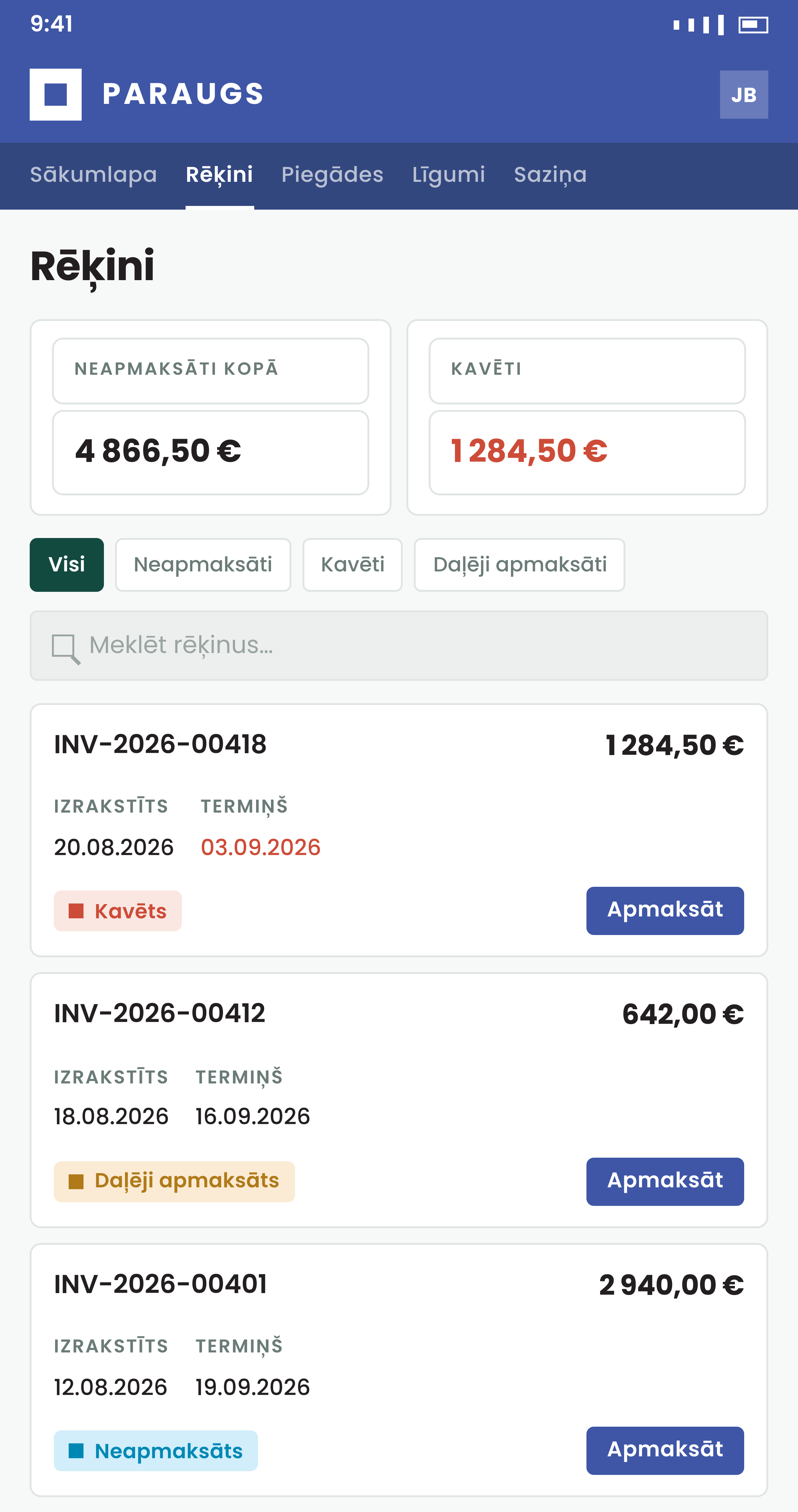
What the customer sees
No phone call to ask what was done.
Confirm the job
The customer says it is done, and it is on the record
Confirmation covers the whole order, once, when the job is complete. How the customer confirms is set per company in herbe portal.
- After confirming, the customer can rate the service from 1 to 5 stars
- herbe service tells the portal as soon as something changes, and the portal also follows a change feed every five minutes, so a missed message is caught
- A click, a signature or an e-signature
A button, a signature drawn or typed on screen, or an e-signature through Dokobit (Smart-ID, Mobile-ID, eID card) or eParaksts.
- The signed document is kept
When herbe service is the portal's database, the hand-signed page or the e-signed file is filed on the order, and the order is confirmed naming the file and the person who signed.
- A no comes with a reason
While the order waits for confirmation, the customer can report a concern with up to 10 photos or files. It declines the order, and their words reach you as the reason.
Raise a request
A new request without a phone call
With herbe service connected to your ERP in herbe portal, a New service request form lets the customer describe the issue, pick the site and the equipment, and confirm contact details. The order is created in herbe service.
- A portal that runs only on herbe service's own database does not have this form yet. Its customers follow orders, confirm, rate and report concerns
Two ways to connect
On top of your ERP, or on its own
herbe portal does not need an ERP for service work. Choose what fits your setup.
How herbe service signs off- On top of your ERP
The ERP stays the source of the orders it holds. herbe service adds a status customers understand, the booked visit time and the request form.
- As the portal's own database
A company without an ERP lets herbe portal read its customers, orders, service items, invoices and quotes from herbe service.
- You decide what is visible
Portal exposure is a switch per company. Without an ERP it is off until you turn it on, and a quote or an invoice shows only after you publish it.
How to start
Book a demo
We show a service order from request to confirmation, in both apps.
Check Portal exposure
An admin checks the switch under Settings, Modules, and gives herbe portal an API token.
Choose how customers confirm
A button, a signature or an e-signature, set per company in herbe portal.
Questions about the customer portal
Does the customer confirm each worksheet?
No. Confirmation covers the whole order, once, because an order can span several visits. The signature the customer gives on the technician's phone is a separate thing and works on its own.
Which e-signatures work?
Dokobit (Smart-ID, Mobile-ID, eID card) and eParaksts, as set in herbe portal for the company. The customer signs the order report herbe service has already made. If there is none yet, they are told so and nothing starts.
Does the portal need an ERP?
No. A company without an ERP can let herbe portal use herbe service as its database. It then shows customers, orders, service items, invoices and quotes. With an ERP, the portal reads the ERP, and herbe service adds the extras.
Can customers raise a new order?
Yes, when herbe service is connected to your ERP in herbe portal: a New service request form creates the order. A portal that runs only on herbe service does not have that form yet.
Does a missing confirmation hold up invoicing?
No. Parts and hours are settled when a manager approves each worksheet, whatever the customer has or has not confirmed.
What does the customer see of a fixed price?
On a fixed-price job the portal's worksheet rows carry no price or sum for the work inside the price. Extra paid work from a separate quote keeps its price.